

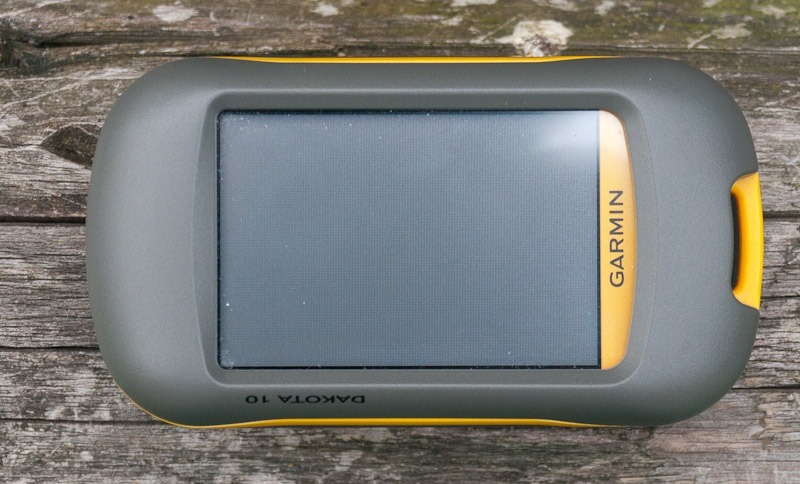
 Over the past two weeks I have been playing around with a Garmin Dakota 10. Unlike “Greathiker” I am rather a GPS sceptic, and for recording tracks on day hikes I normally use nothing but my Android phone. But in bad weather in particular, when the trail and I become one thanks to all the mud, I start worrying about my favourite toy. So why not give the rugged and relatively cheap Garmin Dakota 10 a try?
 We have already tested and presented the Garmin Dakota 20 on this site in great detail. As the two units are very similar, it is worth reading the Dakota 20 review as well. The Dakota 10, by the way, has the same (modest) display as its big brother.
Garmin Dakota 10 specifications
- Unit dimensions, W x H x D: 5.5 x 10 x 3.3 cm (2.2 x 3.9 x 1.3 in)
- Display size, W x H: 3.6 x 5.5 cm (1.43 x 2.15 in), 2.6 in diagonal (6.6 cm)
- Display resolution, W x H: 160 x 240 pixels
- Display type: transflective colour TFT touchscreen
- Weight: 191.4 g (6.75 oz) with batteries
- Batteries: 2 AA batteries (not included); NiMH or lithium recommended
- Battery life: 20 hours
- Waterproof: yes (IPX7)
- Floats: no
- High-sensitivity GPS receiver: yes
- PC interface: USB
- Built-in memory: 850 MB
- Accepts memory cards: no
- Waypoints: 1000
- Routes: 50
- Track log: 10,000 points, 200 saved tracks
- Electronic compass: no
- Touchscreen: yes
- Barometric altimeter: no
- Camera: no
- Geocaching mode: yes (paperless)
Garmin leaves out the compass
“So which way do I actually go now?” — I asked myself that more than once during the time I had the Garmin Dakota 10 in use. Unlike the Dakota 20, the Dakota 10 does without a compass. And that is the point that bothered me most.
The navigation arrow almost never matches the way the unit is actually pointing. At spots where the route is not obvious in particular, my GPS navigation ended with picking a direction, then turning round later and correcting course.
Geocaching with the Dakota 10
 From my Android phone I am used to geocaching being very simple. Being able to go online in the middle of the forest and look at spoiler photos has spoilt me a little. That said, I like the geocaching function built into the Garmin (without online access, of course) a lot too. The information is laid out clearly and is easy to read.
One thing I would criticise is that planned hikes with geocaching waypoints are not recognised as geocaches automatically, but are only listed under waypoints. Unfortunately there is no way to switch a waypoint to a geocache manually on the unit either.
Limited memory on the Dakota 10
Unlike many other current Garmin GPS units, the Dakota 10 has no way of storing data on an SD or micro SD card. The built-in memory of just 850 MB has to be enough. That sounds harsh at first, but to my mind it is the least critical disadvantage the Garmin Dakota 10 has against the 20.
Anyone who, like me, spends most of their time in one region will have no trouble with this limit. Anyone taking the unit along on a long holiday, crossing several states or countries, needs considerably more map coverage on the device. The only remedies are buying a different Garmin GPS unit with a card slot to expand the memory, or carrying a laptop to add and swap map tiles as needed.
Firmware bugs and other annoyances
Right after I received the unit I installed the newer firmware version that Garmin offers through its update function. At the moment the unit is running software version 2.9, which in my opinion is pretty poor. As soon as I try to save the track currently being recorded, the unit simply switches itself off. As far as I know Garmin is aware of this bug and a fix is in the works. How a bug like that makes it into a finished firmware release is beyond me.
I ran into another problem on a longer hike. The unit sometimes simply crashed in the middle of things and stopped responding to the touchscreen. The only thing that helped was switching it off and on again. Not fatal, but quite annoying.
In Garmin’s defence I should say that I am not using official Garmin map data. The unit is running the free maps from the OpenStreetMap project, and at least the last bug may well come down to those maps.
Update: New firmware for Garmin Dakota units has since been released, so it is unclear whether these problems have already been fixed. We no longer have a test unit to check.
Verdict on the Garmin Dakota 10
I sent the Garmin Dakota back. A price of EUR 200 for a GPS unit is fine in principle, but when I compare the feature set with the Dakota 20, which costs “only” about EUR 50 more, buying a Dakota 10 does not pay off in my eyes. Garmin should either give the entry-level unit more functions or cut the price by at least another EUR 50.