
 Who hasn’t experienced this with their headlamp? Sometimes one lighting mode is too dim for walking/hiking, and then the weakest mode is still too bright for reading. Wouldn’t it be handy if you could decide for yourself how bright your headlamp should be? That is exactly what the folks at Petzl seem to have thought too. With the Petzl Tikka XP2 Core, they have now launched a set whose settings you can define yourself on your computer at home.
Headlamp details
- Weight: 80 g (28 g Core battery pack / 52 g headlamp)

- Price: €100 (€30 for the Core battery without headlamp)
- Light source: 1 high-output LED; 1 red LED
- Burn time: min 5 h; max: 70 h
- Beam distance: min: 15 m; max: 46 m
- Functions: 3 lighting modes (maximum, economic, flashing)
- Water resistance: IP X4
- Accessories: Extras: USB cable + charger; OS software
I don’t want to focus so much on the headlamp itself here, which once again comes in the familiar good quality. Rather, I want to look at the possibilities offered by Petzl’s Core battery pack. For me personally, this is the real innovation, which no other headlamp has offered so far.
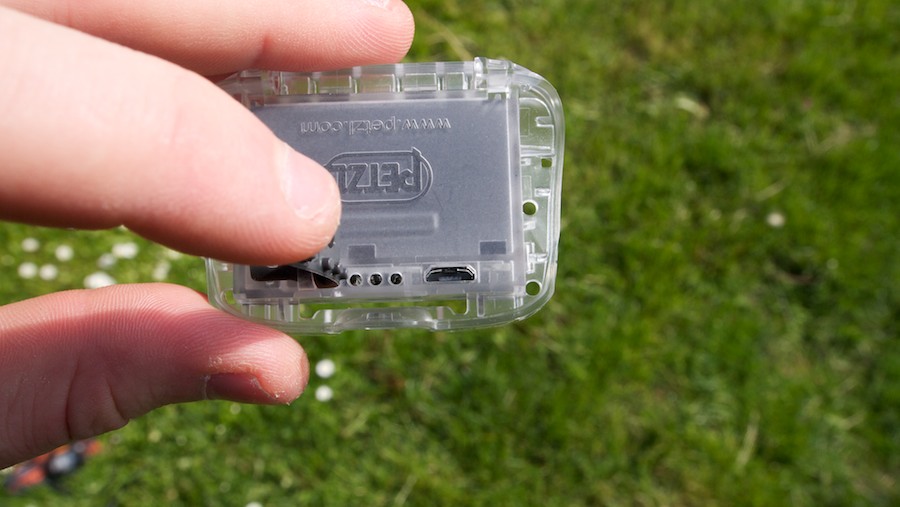
According to the manufacturer, the Core battery pack is a lithium-ion polymer battery with a capacity of 900 mAh. It is said to be rechargeable around 300 times without a major loss of performance. The headlamp can also be run on normal AAA batteries, but then the option of programming it is lost.
Programming the Petzl Tikka XP2 Core
 The whole thing is very simply implemented and easy to understand even for beginners. All you have to do is download “OS by Petzl” from the official website. After installation, you can connect the headlamp and get started right away. In my case, the software started automatically after I plugged in the lamp, and I could immediately give the connected system a name.
Since the Core battery is compatible with various Petzl models, you have to select the combination you are using, and then you can start configuring the headlamp.
Two lighting modes are available for configuration: the Maximum mode and the Economic mode. Pressing the button on the headlamp once selects the Maximum mode. Pressing it twice in quick succession puts you in the Economic setting. You can’t create additional lighting modes, but it is possible to create and save various profiles so that you can quickly switch back and forth between settings.
The brightness settings are simply set using sliders, with which you can adjust the light output or the burn time. A graph shows the change, and the test mode lets you check the brightness directly on the connected headlamp.
The software is available for Windows and Mac.
Pictures of OS by Petzl


Compatible headlamps
- TIKKINA2
- TIKKA2
- ZIPKA2
- TIKKA PLUS2
- ZIPKA PLUS2
- TIKKA XP2
Verdict on the Core battery pack
I really like the idea. But I would have liked a few more options (e.g. being able to define more than just two different settings). I really like charging via USB, which means fewer different battery types are needed on tour – provided you have several devices that can be charged via USB.
Pros
- simple implementation
- innovative
- can be charged via USB
Cons
- software is not included and has to be downloaded first
- more customisable modes would be desirable
- relatively expensive
Where to buy
- Bergfreunde
- Core battery at Bergfreunde
- Globetrotter
All pictures of the Petzl Tikka XP2 Core


The headlamp was provided to me by the manufacturer for testing and sent back afterwards.