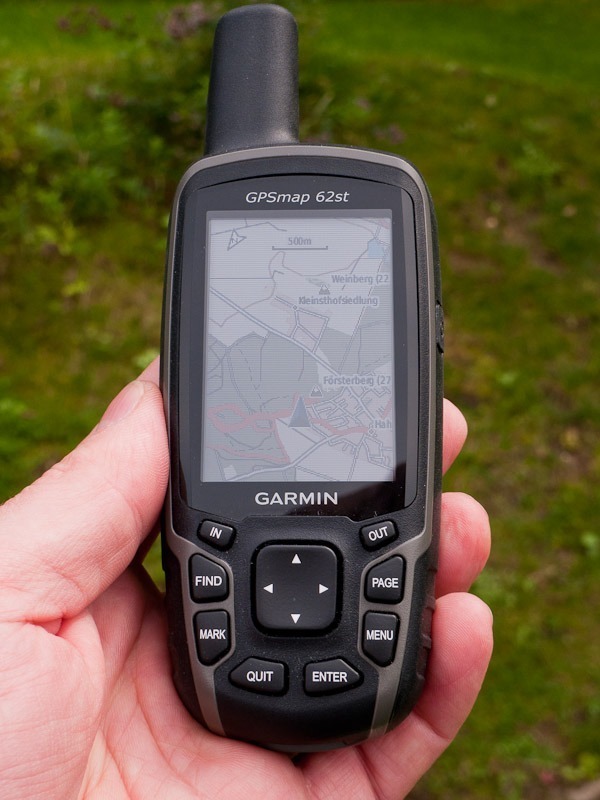

 So there you are with a brand-new outdoor GPS from Garmin in your hands and it does not work “properly” — is it faulty? For minutes I have been rubbing my finger across the display. I try pressing, dragging and frantically tapping the screen to get any reaction at all. But hang on, what are these raised things below the display? Are those the buttons that almost every device used to have?
Are there still navigators without a touchscreen?
Ja, yes, there are still devices without a touchscreen. Now that, alongside the iPhone and Android smartphones, many other devices such as car sat navs also have a touch-sensitive display, the new Garmin GPSMap 62s somehow looks dated. The last generation of outdoor navigators — such as the Garmin Oregon 450 and Garmin Dakota 20 — were already fitted with touchscreens. So why devices with a conventional display and ordinary buttons again? Have the touchscreen units not proved themselves?
GPSmap 62, GPSmap 62s, GPSmap 62st
 With these three new outdoor models Garmin wants to build on the success of the GPSMap 60 series, so popular among outdoor specialists. The 62 series is aimed above all at users and professionals who place particularly high demands on the accuracy, ruggedness and reliability of their devices.
Among that group the Oregon and Dakota series with their touchscreens are not especially popular. What they want is a successor with the positive qualities of before and the traditional operating concept — plus the extra features that have become standard in the more recent ranges. On the functions in particular there was an urgent need to act. The current Garmin Oregon and Garmin Dakota ranges show clearly what is possible.
What the Garmin GPSMap 62s / GPSMap 62st is
For the design of the GPSMap 62 series, Garmin again stayed largely close to its predecessors. The display is now somewhat larger: 4.1 x 5.6 cm with a resolution of 160 x 240 pixels and 65,000 colours. GPS signals are received by a quad-helix antenna protruding from the top. Operation is via the buttons arranged below the display (eight buttons and a central rocker).
The feature set really has been properly upgraded and now at least matches the other models: high-speed USB, generous memory — depending on the model 500 MB to 1.7 GB — microSD cards on the 62st and 62s, a new GPS receiver with HotFix technology, storage for 2,000 waypoints, 200 routes, 200 tracks and 5,000 geocaches. Beyond that, the Garmin GPSMap 62s and GPSMap 62st now also have the proven three-axis compass from the other ranges and the familiar barometric altimeter.
Software functions such as paperless geocaching, custom maps (raster maps) and BirdsEye (satellite imagery) have now found their way into these devices too.
The Garmin GPSMap 62st has additionally been given a preloaded topographic map of Europe (scale 1:100,000).
Technical data, GPSMap 62s:
- Unit dimensions: 6,1 x 16 x 3,6 cm
- Display size: 4,1 x 5,6 cm (B x H)
- Diagonal display resolution: 160 x 240 pixels (W x H)
- Display type: Transflective, 65,000 colours, TFT
- Weight: 259 g with carabiner and rechargeable batteries (our own measurement)
260.1 g with batteries (manufacturer figure) - Batteries: 2 AA batteries; NiMH rechargeables or lithium recommended
- Battery life: 20 hours
- Waterproof: yes (IPX7)
- Floats: no
- Built-in memory: 1,7 GB
- Accepts memory cards: microSD™ card
- Waypoints: 2000
- Routes: 200
- Track log: 10,000 points, 200 saved tracks
- for the full overview
What is in the box with the GPSMap 62
- Garmin 62s / Garmin 62st
- USB cable
- Carabiner clip
- Quick start guide
The GPSMap 62s tested on the trail
 Looking at the features listed above and the technical data, the new outdoor navigators leave hardly anything to be desired. They ought to be ideal devices for demanding users. But can they live up to those high expectations? We tested them in practice while hiking and trekking and also compared them with the Garmin Oregon 450 / Oregon 550 (comparison test to follow).
The case of the Garmin GPSMap 62st sits well in the hand
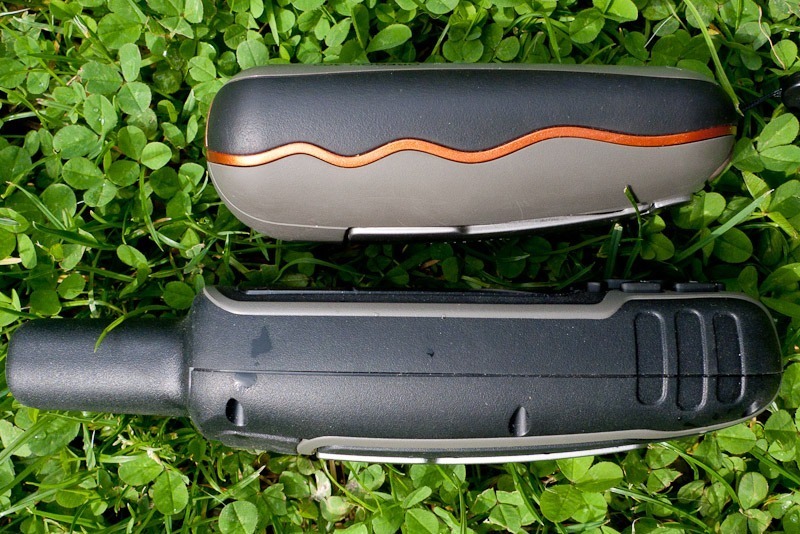
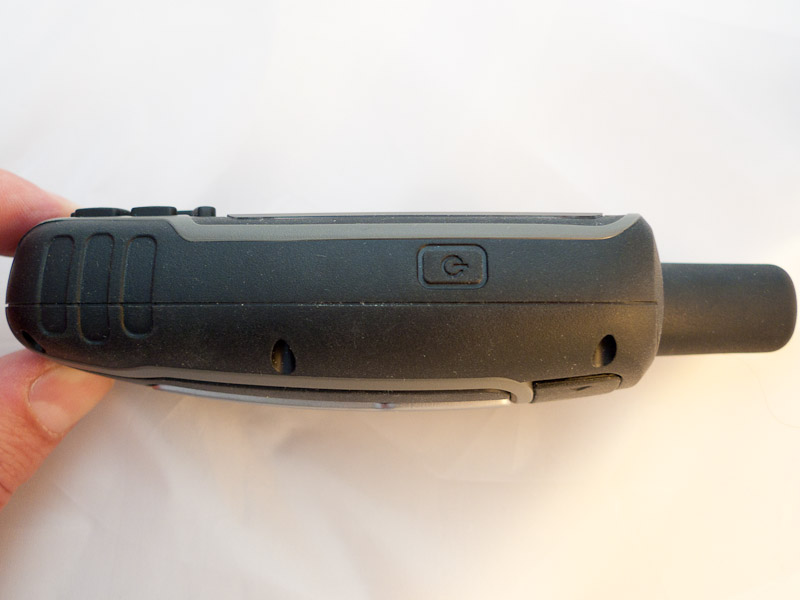
The case makes a very rugged impression. That is probably partly down to the relatively high weight of about 265 g including rechargeable batteries. Compared with the other ranges and with the predecessor that is quite a lot. The unit is also distinctly larger than the Oregon series. But the rubber armouring around the case and the secure grip it gives also convey a positive feeling.
| A note on the Garmin GPSMap 62s: In many internet forums the quality of the GPSMAP 62s case is criticised. There is talk of the case creaking, even when you simply grip the unit firmly. On the test unit we have here (the “st” version) we could not observe this. You have to squeeze the case very deliberately and hard to produce any noise. Whether there are small differences (apart from the colour) between the cases of the Garmin GPSMap 62s and the Garmin GPSMap 62st we cannot say. What is certain is that even the owners of obviously affected units have not so far reported any negative effects on waterproofing or on the function of the device. So it can be assumed that this is “only” a cosmetic flaw (annoying as that certainly is). |
 The eight buttons and the central rocker have turned out quite large, so operation works without trouble with gloves on. The rocker is very precise and allows quick selection from the clear, well-structured menus. The button assignment has remained largely unchanged from the old model, which certainly makes switching easy.
When the display backlight is on, the buttons and the rocker are illuminated as well. Especially at the start, when you are not yet familiar with the controls, that is immensely practical and makes using the device easier in poor light. Once you have enough practice with the unit and can operate it blind, though, you find yourself wishing for the option of switching that illumination off to extend run time.
 On the back of the GPSMap 62 there is a rubber cap that seals the USB socket and the connector for the external MCX antenna. The battery compartment beneath it can be opened quickly and easily (a small twist catch on the lid). The compartment holds 2 AA cells and, underneath them, the microSD card slot, which is reliably protected from moisture by a surrounding rubber seal.
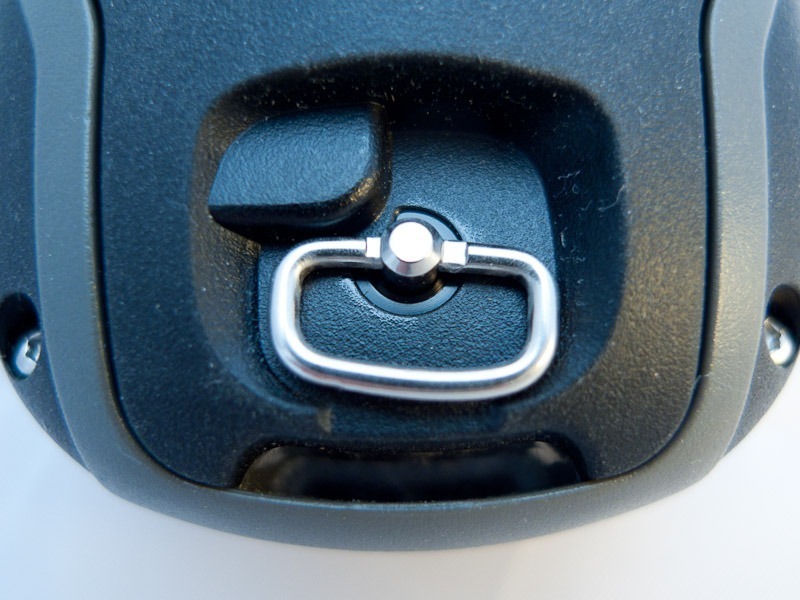
In our test unit the batteries are clamped very firmly between the contacts. On the one hand that guarantees they sit tight with reliable contact; on the other it almost calls for a tool to get them out of the unit again. On the back of the battery compartment lid there is also the mount for the carabiner or for the bike holder, familiar by now from the Dakota and Oregon.
The display of the Garmin GPSMap 62s / GPSMap 62st
 With the Garmin Oregon and Garmin Dakota, the question of display quality and readability splits the outdoor world. While some call the displays perfectly “satisfactory”, others consider them absolutely “unacceptable”.
Users who seriously call the displays “GOOD” are hard to find. The fact is probably that you can get along with these displays well enough, but also that most people would like a brighter, higher-contrast screen. Can the GPSmap 62s and 62st score here?
Garmin has given the GPSMap 62s/t a transflective TFT display capable of 65,000 colours. The resolution of 160 x 240 pixels and the size are largely identical to the Dakota.
Right from the first switch-on you notice that the display has far more contrast than the touchscreen displays. The colours are stronger and clearly distinguishable. The further the backlight is turned up, the clearer the difference becomes. In many situations you can even manage without the backlight on the GPSMap 62.
The display of the Garmin GPSMap 62st is convincing
Both in poor light and in strong sunshine, the display of the GPSMAP 62 is in our estimation currently the best of any outdoor navigator. It has to be mentioned, though, that the display has turned out smaller than on the Oregon 450 / 550 (3.8 x 6.3 cm with 240 x 400 pixels).
The result is that the amount of information shown on the display at once is of course somewhat smaller. That in turn means the map has to be zoomed and panned correspondingly more. This point is only annoying if you have already got used to the “big Oregon display”.
Controls and menu of the Garmin GPSMap 62s / 62st
 The arrangement of the buttons and the rocker is well done. All the buttons and the rocker can be operated one-handed. However, placing the buttons below the display inevitably means they are only all within reach of the thumb if you do not grip the unit tightly but let it slide a little into your fingertips.
Despite the great range of functions, the menu is very clear and largely logically structured. Here and there are small breaks in the operating concept, but overall you usually get where you want quickly. That is partly because important menu items, such as marking waypoints or the function for choosing a destination, have their own dedicated button. You can also adapt the menu individually by assigning shortcuts. The option of creating individually adjustable user profiles in particular makes handling the navigator considerably easier.
Owners of the GPSMap 60CSx will find switching easy…
For those switching from the “old” 60CSx there is even a “Classic” user profile, which allows operation largely analogous to the previous model.
For newcomers the “Recreational” profile is recommended. Here, pressing the “Page” / “Quit” buttons opens an extra menu that gives quick access to many frequently used functions. This access menu can also be adapted individually.
Clearly, this many functions in one menu require a certain amount of learning. Once that is done, though, you can very quickly organise a workflow optimised for yourself that saves a lot of time, especially with intensive use.
 Anyone who uses the device only rarely and does not take enough time to learn it may have trouble making proper use of the range of functions and configuration options.
Despite many new functions, anyone moving from the predecessor to the new generation may miss a few favourite functions from their old unit. Among other things it is annoying that the waypoint search can no longer be configured in such detail (searching by symbol, for example, is no longer possible).
As with the Oregon and Dakota, the GPSMap 62s/62st can in return now use a split screen to show two menu pages at once. This makes it possible to combine the map with other displays (map view plus an elevation profile or compass view, and so on).
Reception performance of the Garmin GPSMap 62s / 62st
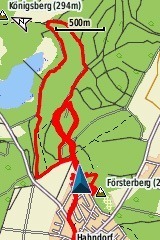 Now to what is probably the most important point for the target group of this outdoor navigator. The reception quality of the predecessor, especially the series with the SiRFstarIII chipset , is legendary. Many people who depend on the most accurate positioning possible trust only the “old” Garmin 60CSx alongside professional devices costing many times as much. It was not always that way — in the early days there was certainly criticism of the predecessor’s accuracy too. It was only later firmware updates, which delivered a “better calculation” of the satellite signals and reliable error correction, that ultimately established the reputation of these devices.
In the new generation a different chip is responsible for receiving and processing the satellite signals (probably the same chip used in the Oregon and Dakota). There is a lot of criticism about this in the forums that focus on outdoor navigation. The claim is that Garmin did not take the best available chip here but a cheaper one, simply to keep production costs down a little.
We cannot verify that, but we can certainly establish that the reception performance, or at least the processing of the signals, does not work as well as on the old devices. Compared with the Garmin Oregon and Garmin Dakota, which by now display quite accurately and reliably, there are also some unwelcome deviations from the route actually walked when evaluating the recorded tracks.
If you also start from the generally accepted assumption that an antenna protruding from the case (as on the 62) has better reception than one completely integrated into the case (as on the Oregon / Dakota), you have to conclude that this appears to confirm the critics’ suspicions.
On this point it has to be said quite plainly that the new devices disappoint, at least as things currently stand. So that this is not misunderstood: overall the reception performance of the devices is good, but a step backwards compared with the old devices or with the Oregon and Dakota ranges is bound to disappoint the demanding target group being aimed at. One can only hope that Garmin will be able to coax a little more out of the satellite signals here too with optimised firmware.
On the positive side, thanks to HotFix technology the current position is calculated considerably faster after switching the unit on than was the case with the predecessor.
Run time and battery consumption, Garmin GPSMap 62s / GPSMap 62st
Another important point for the target group of these devices is likely to be run time on one set of batteries. Anyone hoping for a clear improvement in run time over the touchscreen models will unfortunately be disappointed. Because the display backlight has to be used somewhat less than on the Oregons and Dakotas, there is in practice a slightly longer run time all the same.
Garmin quotes a battery life of 20 hours. That is only a rough guide, though. Depending on how the device is used, that figure can be undercut considerably. With economical use the run time can also be somewhat longer. In summary, run time is certainly good compared with other current devices, but here too many people will surely have hoped for “more”.
Storage capacity, Garmin GPSMap 62s / 62st
The internal memory available on the 62s is about 1.7 GB. The GPSmap 62st has exactly as much memory as the “s” model, but the preloaded topo map is already stored there, which means only around 500 MB of free memory remains.
Both models can of course be expanded with suitable cards via the built-in microSD slot. That is not possible on the GPSMap 62, because it has no card slot.
What else is there…
We tested the unit with the current firmware supplied (version 2.40) and also with a beta firmware version made available by Garmin in the meantime (2.44 beta).
As delivered, the elevation reading jumped abruptly whenever any button was pressed. That is a bug which no longer occurs with the beta software. It can be assumed that the next official firmware update will put this problem to rest.
UPDATE: Since 05.09.2010 the official firmware version 2.50 for the Garmin GPSMap 62s/st has been available through the WebUpdater.And indeed, the problem with the altimeter bug is no longer an issue.
The Garmin GPSMap 62s and GPSMap 62st differ only slightly in appearance and in the type of maps installed. While the 62s only has a coarse base map, useless for orientation in everyday use, the 62st comes with a recreational map of Europe at a scale of 1:100,000. It does not have the detail of the topo maps available separately, but in some cases it can be a useful supplement to a paper map.
Verdict: Garmin GPSMap 62s / Garmin GPSMap 62st
 The new Garmin at first seems to be a step backwards. No touchscreen as on the Oregon and Dakota, slightly poorer reception than the predecessor…
Despite all the small inaccuracies, the reception performance can certainly be called good. The problem is only that many people expected at least the quality of the predecessor here.
The operating concept is a matter of taste: anyone already deep in the world of touchscreens will find the many hardware buttons a little hard going. Anyone still carrying a phone with keys, and not otherwise prodding at displays and monitors, will see it quite differently.
Overall, using the navigator through the menu structure is solved quite well, and in bad weather the buttons are certainly easier to operate with thick gloves than a touchscreen.
The Garmin GPSMap 62st is a good outdoor navigator. It can be recommended for hiking and trekking without reservation. It does, however, find it hard to set itself clearly apart from its predecessor and from Garmin’s other ranges on individual points. Personal preference probably plays a bigger part in the buying decision than the raw technical data.
For buyers who can live with either concept, we will follow up with a direct comparison test between the Garmin Oregon 450 and the Garmin GPSMap 62.
Pictures of the Garmin GPSMAP 62st